Product case study · In progress
Folioflow
A focused macOS editor for turning still images into polished vertical reels, with per-clip motion, a visual timeline, soundtrack controls, and direct H.264 export.
- Year
- 2026
- Role
- Creator, product designer, and developer
- Technologies
- macOS, Integrated export engine, H.264 / MP4, Desktop application, GitHub Releases
Still images · motion · macOS
Give still images a sense of time.
01
The problem
Turning a sequence of still images into a coherent vertical reel often means moving between separate image, video, and audio tools. The project needed a focused workflow where artwork, timing, motion, soundtrack, and export could remain legible as one sequence instead of becoming a general-purpose editing environment.
02
Context
Folioflow is a macOS preview release for Apple silicon Macs. It is designed for portfolios, visual stories, and social-first presentations: import still images, arrange them as clips, give each image an intentional movement, add music, and export a finished 1080 × 1920 H.264 MP4. The integrated export engine keeps the workflow self-contained, while the public repository provides installers, screenshots, release history, and getting-started guidance.
03
Responsibilities
- Define a still-image-first reel workflow around portfolios, visual stories, and portrait-video presentation
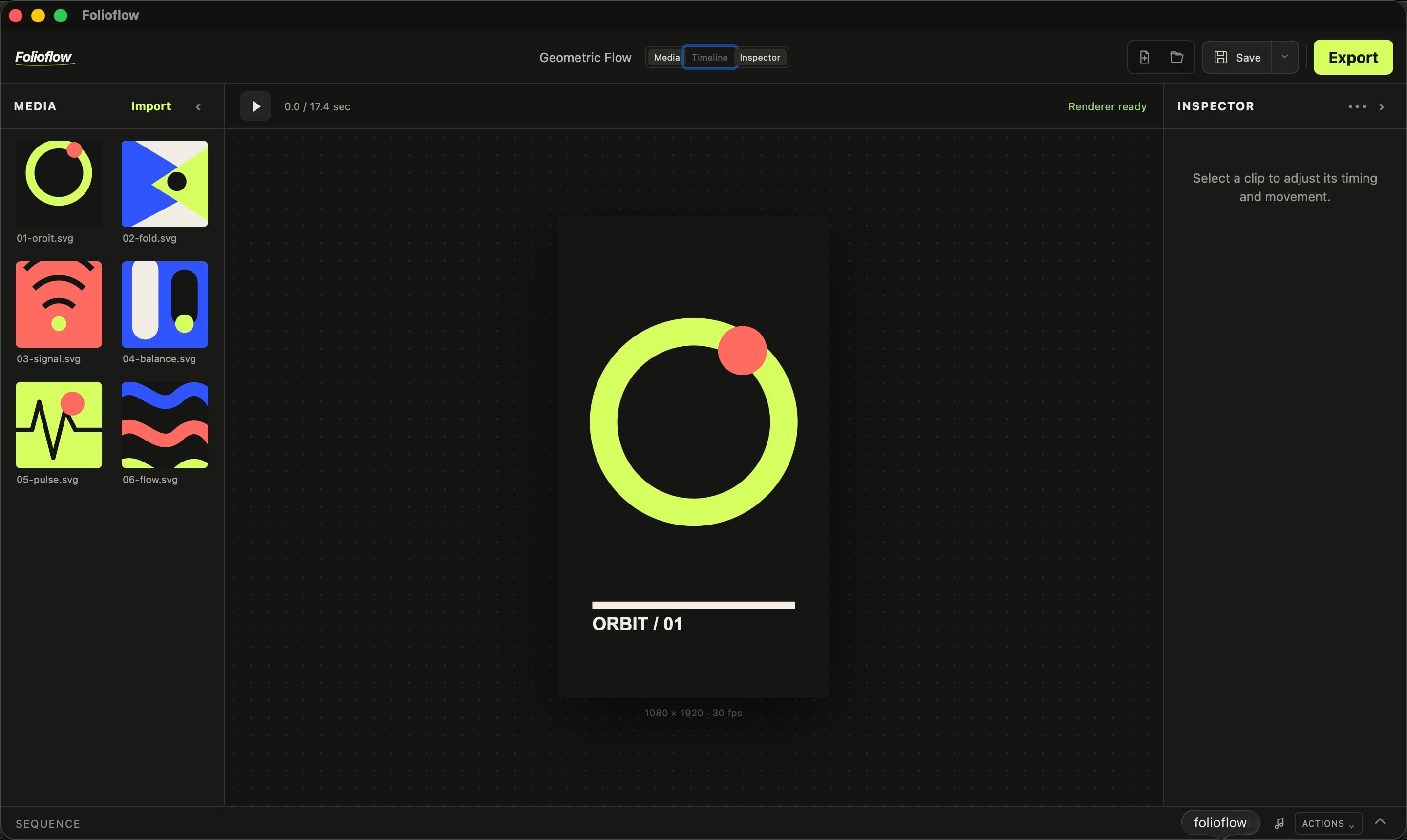
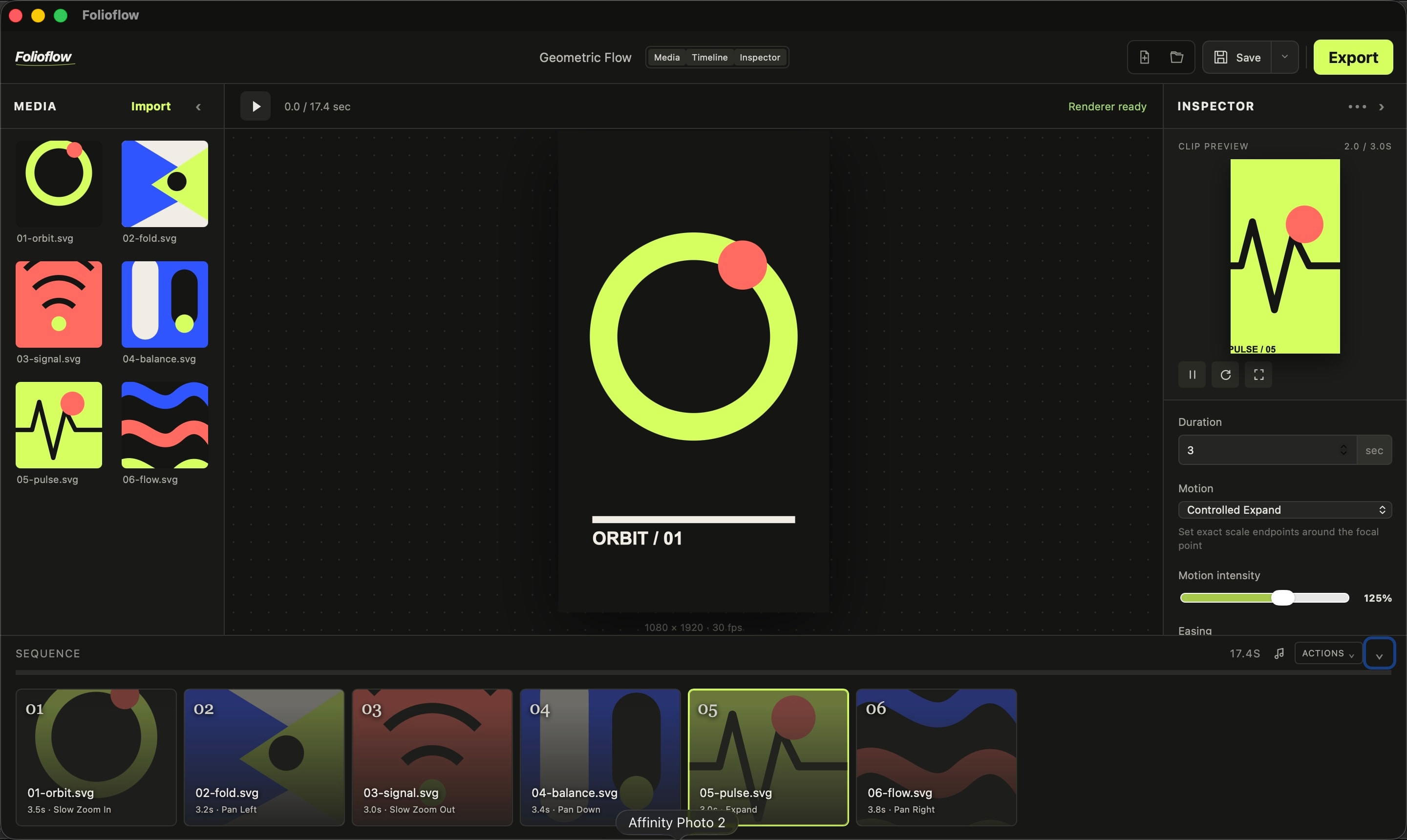
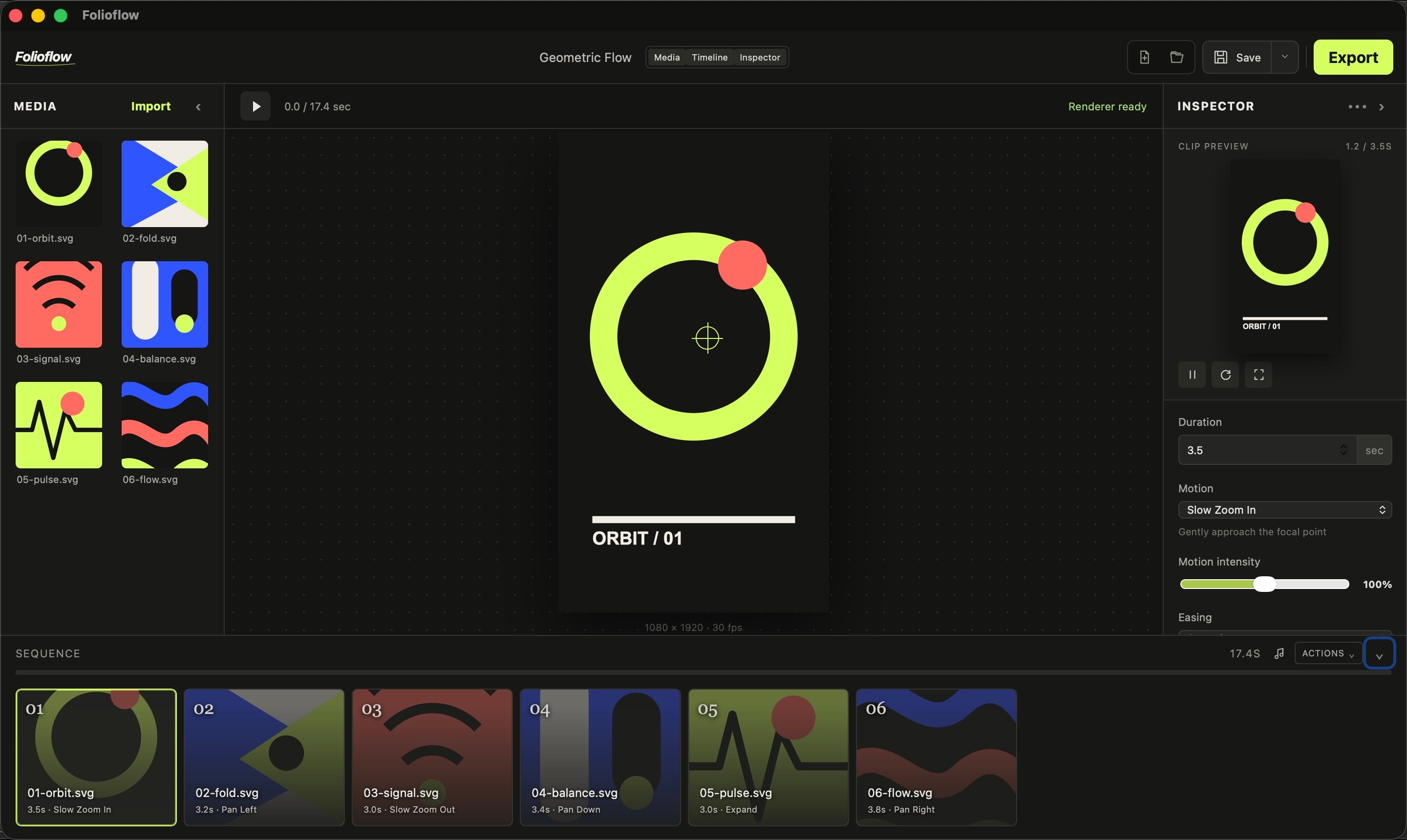
- Design the desktop workspace, including the vertical canvas, media library, visual timeline, and focused clip inspector
- Build per-clip motion, timing, transition, soundtrack, local project-file, and export workflows
- Package and document the Apple-silicon preview release, including first-launch guidance and a self-contained export workflow
04
Architecture
Folioflow is a local desktop editing workflow that treats each image as a sequence clip with its own movement and timing. The workspace separates the composition, clip inspector, media library, and timeline so detailed adjustments do not erase context. Projects can be saved and reopened locally, while the integrated export engine handles final H.264 MP4 rendering without a browser, cloud pipeline, or separate Terminal setup. A public release repository keeps distribution and documentation available without exposing the private application source.
05
Technical decisions
Start with images, not a generic timeline
The editor is designed for still-image storytelling. Importing, arranging, and reviewing image clips are the primary actions, while video-oriented complexity stays out of the way.
Make motion a property of each clip
Zoom, pan, focal point, easing, timing, and transitions are adjusted per image. This makes motion intentional and repeatable, while copy-and-paste settings support consistency across a sequence.
Keep the portrait composition visible
The vertical preview remains central, with a collapsible library, a focused inspector, and the sequence below it. The arrangement reflects the finished reel rather than a conventional wide video-editing interface.
Keep export inside the workflow
The bundled export engine produces the final 1080 × 1920, 30 fps H.264 MP4, so the editing experience does not depend on a separate command-line installation.
06
Challenges
A still image does not carry time by itself. The editor needs to make motion, pacing, transitions, and sound easy to control while preserving the quiet visual qualities that made the source images worth showing in the first place.
07
Solutions
Folioflow gives every image a clear place on the timeline and lets the editor isolate a single clip before reviewing the whole sequence. Per-clip movement, visual easing, soundtrack trim and volume, and a portrait-first preview create an intentional path from artwork to finished reel.
08
Results
The public preview release provides an Apple-silicon macOS editor for image-first vertical video, with local project files, soundtrack controls, per-clip motion, 1080 × 1920 H.264 export, release notes, and installation guidance. Its portfolio download link resolves the latest published Folioflow preview automatically.
Inside the editor / movement for still images
A reel without a crowded suite.